Pomofocus vs Prodpod: Which Study Timer Actually Keeps You Focused?
Let's be real for a second. You've probably tried the Pomodoro thing before. Twenty-five minutes on, five minutes off. It's simple. It works. But here's the problem: knowing the technique and actually sticking to it are two very different things.
I've tested a lot of timers over the years. Some are too complicated. Some are just pretty faces. And some... well, some make you feel like you're studying alone on a desert island, which is fine until your motivation runs out halfway through term.
Today we're looking at two apps that take the Pomodoro method in completely different directions. One keeps it simple. The other turns studying into something you do with other people. Both claim to help you focus. But which one actually works when you're staring at a textbook at 9pm and your phone is glowing with temptation?
Quick Verdict: Which One Should You Try?
If you just want the headline, here it is. Pomofocus is a clean, minimalist timer that does exactly what it says on the tin. No accounts. No fuss. Just a timer and a to-do list. It's perfect when you know what you need to do and just want something to keep you honest.
Prodpod.app is different. It adds accountability through webcam focus rooms and lets you study alongside other people. If you're the type of person who works better in a library than alone in your room, this is the one. It turns focus into something social, which sounds counterintuitive until you try it and realise that knowing someone else can see you actually stops you reaching for your phone.
The choice comes down to one question: do you work better alone, or do you need other people to keep you honest?
Feature by Feature: How They Actually Compare
I spent a week using both apps properly. Not just clicking around, but actually trying to get work done. Here's what I found.
Pomofocus: The Minimalist's Choice
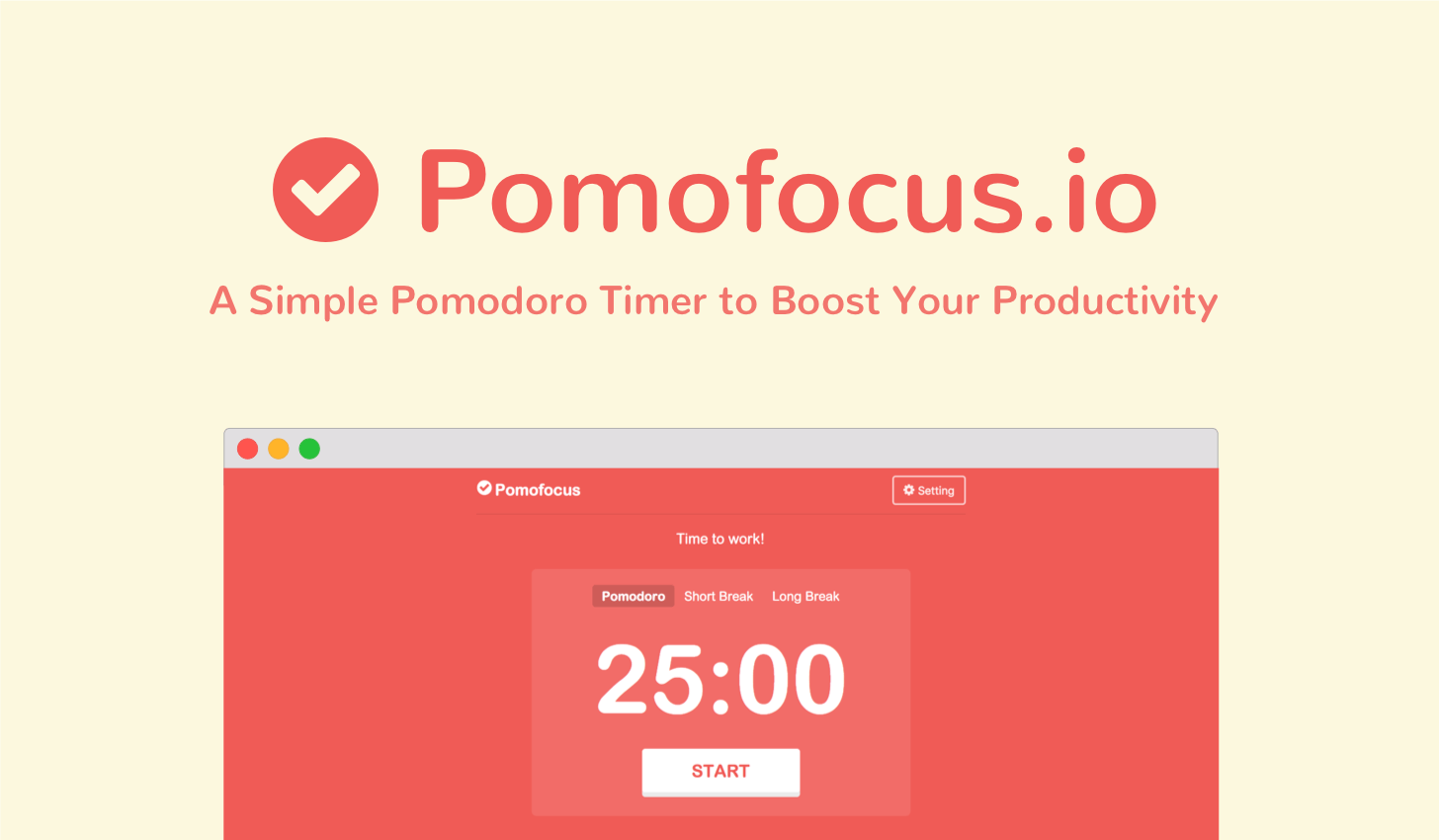
Pomofocus loads in your browser and just works. There's no account to create, no onboarding flow, no tutorial. You land on the page and there's a timer staring at you, ready to go. It's refreshingly boring, and I mean that as a compliment.
You can set your work and break intervals however you want. The default is the classic 25 and 5, but you can tweak it if you prefer longer deep work sessions. There's a simple task list on the side where you can jot down what you're working on. When you finish a Pomodoro, it ticks off and you can see basic stats about how many sessions you've completed.
The design is clean. Really clean. No distracting colours, no animations, nothing fighting for your attention. It just sits there and counts down. For solo work, that's exactly what you want.
But it is limited. There's no way to track different subjects. No analytics beyond basic session counts. No way to study with friends. If you just need a timer, it's perfect. If you need more, you'll hit the ceiling pretty fast.
Prodpod.app: Accountability Meets Focus

Prodpod takes the opposite approach. Instead of stripping everything away, it adds layers of accountability and community. The core is still a Pomodoro timer, but the experience is totally different.
When you open Prodpod, you can join a focus room. These are virtual spaces where other people are studying at the same time. You can see them through their webcams, and they can see you. It sounds weird at first, and honestly it took me a minute to get used to. But there's something about knowing another human can see you that makes you sit up straighter and actually work.
You can study solo too if you want. The timer works fine on its own. But the magic happens when you use the accountability features. You can set your camera to record your session, or join a room with friends and keep each other on track. It's the closest thing to having a study buddy in the room without actually leaving your house.
The subject tracking is another win. You log what you're studying, and Prodpod shows you breakdowns of your time. It's one thing to know you studied for three hours. It's another to realise you spent two of those on your favourite subject and only one on the one you're avoiding. That kind of data is gold when you're planning revision.
The interface is busier than Pomofocus. There's more going on. More options, more features, more stuff on screen. But it all serves a purpose. Nothing feels like fluff.
The Pricing Reality
Pomofocus is completely free. No subscriptions, no premium tier, no hidden costs. You can use it forever without paying a penny. For students on a budget, that's a big deal.
Prodpod uses a freemium model. The free version gives you access to focus rooms and basic timers. You can join existing rooms and use the core features without paying. But if you want to create private rooms for you and your friends, access the full music library, or get detailed analytics, you'll need premium. It's £4.99 monthly or £2.50/month billed annually.
Here's my take. If you're just testing the waters, the free version of Prodpod gives you plenty to work with. You can join public rooms and see if the accountability thing works for you before committing any money. And if you end up loving it, the yearly plan works out to about £2.50 a month, which is less than a coffee.
Pomofocus wins on price if you want zero cost forever. Prodpod wins on value if the accountability features actually help you study more.
The Good and The Bad
Prodpod.app
What works: The accountability is real. I genuinely focused better knowing my camera was on or that other people were in the room. The subject tracking helped me spot gaps in my revision. The focus rooms feel alive, like a real study space. The music integration is nice, though I mostly used my own playlists.
What doesn't: The interface takes a minute to learn. It's not complicated, but it's not as instant as Pomofocus. You need internet to use the best features. If your wifi dies, you're stuck. And if you're someone who finds other people distracting rather than motivating, the focus rooms might not help.
Pomofocus
What works: It's instant. Open the website, start the timer, done. The design is so clean it almost disappears, which is exactly what a timer should do. The task list is simple but effective. Zero cost, forever.
What doesn't: It's limited. No subject tracking means you're guessing about how you spend your time. No accountability features means you're relying entirely on willpower. And studying alone can feel lonely, especially during long exam sessions when everyone else seems to be struggling too.
Who Should Use Which
Here's how I'd break it down.
Use Pomofocus if you already have good focus habits and just need a timer to structure your sessions. Use it if you hate creating accounts and just want something that works immediately. Use it if you study alone and prefer it that way.
Use Prodpod if you know you procrastinate and need external accountability. Use it if you miss studying in libraries or cafes with other people around. Use it if you want data about your study habits, not just raw timer counts. Use it if you're the kind of person who works harder when someone else is watching.
For group projects or study groups, Prodpod wins easily. Being able to hop into a room with your classmates, see each other working, and keep timers synced is genuinely useful. Pomofocus can't do any of that.
For solo work, both work. It just depends whether you want simplicity or accountability.
The Final Verdict
Here's the thing. Both apps work. Both will help you study if you actually use them. The difference is in how they motivate you.
Pomofocus assumes you have the discipline to sit down and work. It just gives you a structure and gets out of your way. For a lot of people, that's enough.
Prodpod assumes you're human. It knows that willpower runs out, that some days are harder than others, that having someone else in the room makes a difference. It builds accountability into the experience so you don't have to rely on pure self control.
I've used both. I respect Pomofocus for what it is. It's a solid tool that does one thing well. But Prodpod is the one I keep coming back to, because on the days when I don't want to study, knowing that others are in the room with me makes me show up anyway.
If you're serious about your grades and you know focus is your weak spot, try Prodpod. The free version is enough to see if it clicks. If it does, the premium is worth it. If not, Pomofocus will always be there, waiting, simple as ever.
Your move. Pick one, start the timer, and get to work. Your future self opening those results emails will thank you.
Key Takeaways
- Pomofocus is a minimalist, instant, free timer perfect for solo workers who just need structure.
- Prodpod adds webcam accountability, focus rooms, and subject tracking for students who need external motivation.
- Prodpod's free version lets you test the accountability features before paying anything.
- For group study, Prodpod wins easily with shared rooms and synced timers.
- For solo purists, Pomofocus gives you everything you need and nothing you don't.
- The right choice depends on whether you work better alone or with others watching.